Coding with AI - Episode 2: Supercharging Your Python Workflow with GitHub Copilot + Ruff
Boost your coding flow by pairing GitHub Copilot’s smart autocomplete with Ruff’s lightning-fast linting. Learn how to guide AI with comments, enforce clean code automatically, and keep your Python projects consistent and secure.


Welcome back to the blog, fellow coders! In Episode 2, we’re taking GitHub Copilot, your AI coding sidekick, to the next level by combining it with Ruff, a lightning-fast Python linter and formatter. In the video embedded below, you’ll see how Copilot predicts your code and how Ruff ensures it's clean and consistent, all with minimal effort.
If you're following along for the first time, make sure your editor (VS Code) has the GitHub Copilot extension installed and you're signed into your GitHub account. Now let's dive deeper than the video and break down each step, so you can not just follow, but understand every part of the process.
1. Setting Up GitHub Copilot in VS Code
Why install it?
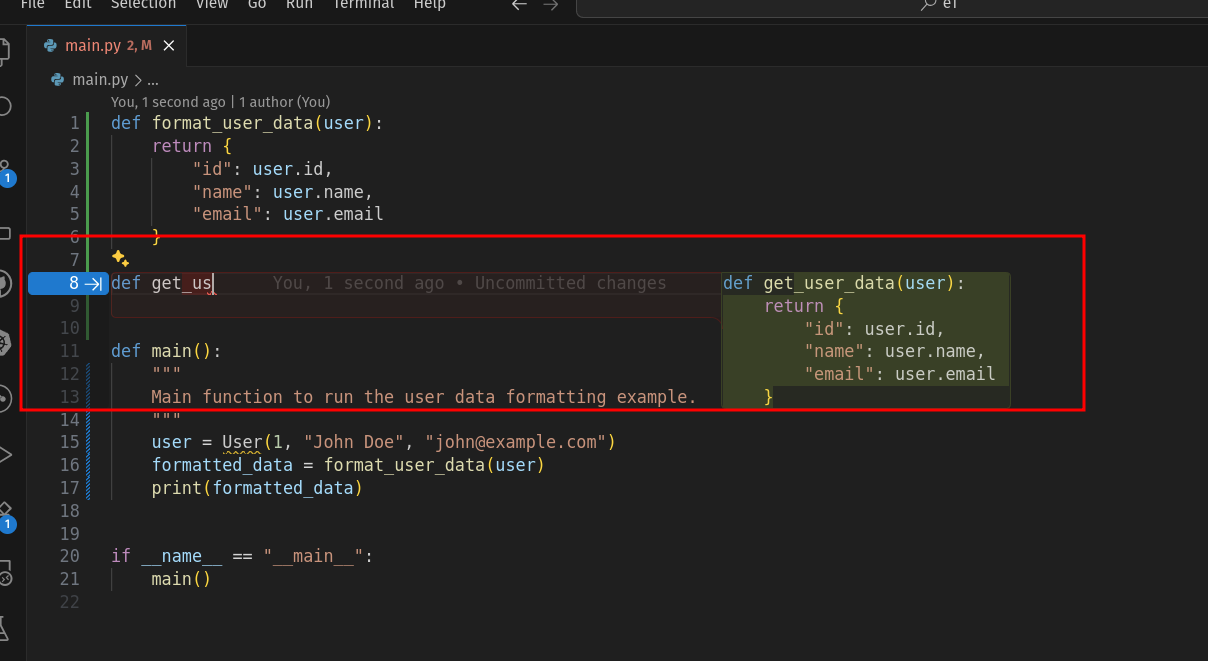
Copilot analyzes the context of your open files and your already-typed code to suggest completions that feel like they’re written by you. It’s ghost text that appears as you type, pressing Tab accepts the suggestion or Escape dismisses it.
Pro Tip:
Use descriptive variable and function names, this clarity improves Copilot’s suggestions, because clean code in, clean code out (its also helpful to humans as well, future you will thank you)
2. Guiding Copilot with Comments
Adding a focused comment like:
# Write a function that scrapes headlines from a news siteelicits a complete function stub from Copilot, great for scaffolding! Remember this:
- Keep comments short yet precise.
- Stubbing out functionality in comments will help you think though your project before you start coding.
- Comments are just as important for people as they are AI agents.
For example:
# fetch top news headlines as list of strings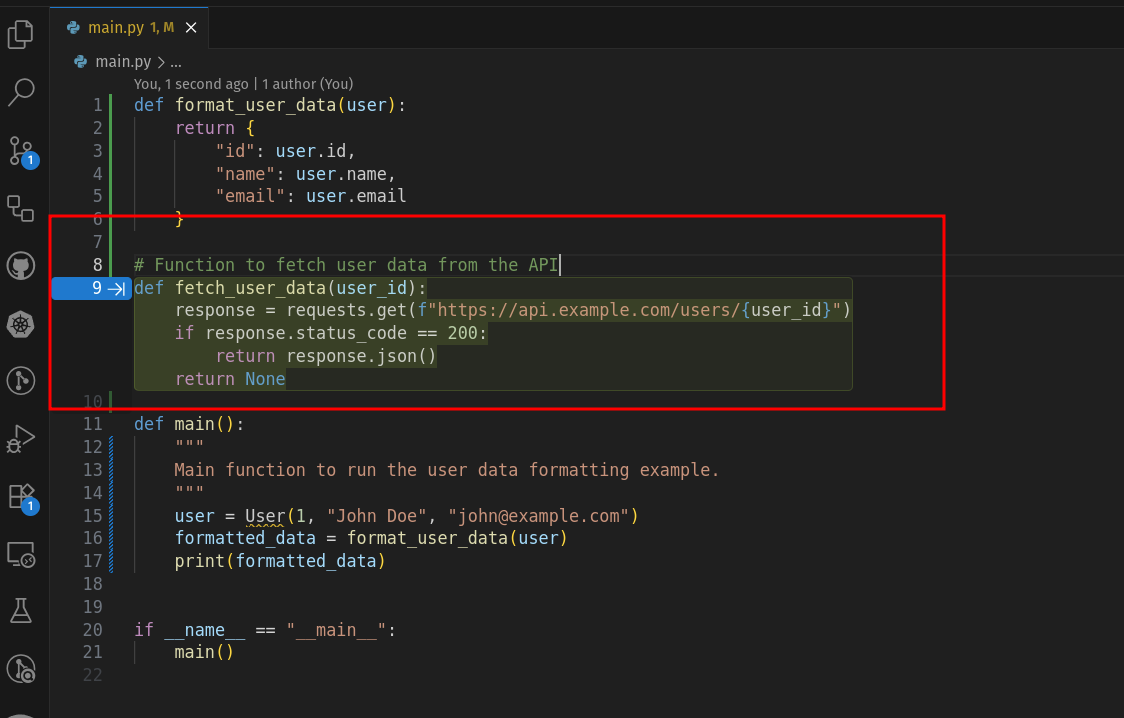
3. Introduce Ruff for Code Hygiene
 charliermarsh
Linting and formatting tools like Ruff are your code’s best friend. Ruff is fast, easy to install, and enforces consistency, and can even catch potential issues Copilot may inadvertently produce.
If you are not using UV or don't know what it is, then read this!
How to install Ruff:
uv add --dev ruffor to install ruff globally
uv tool install ruff you can also install via pip, pipx, and poetry
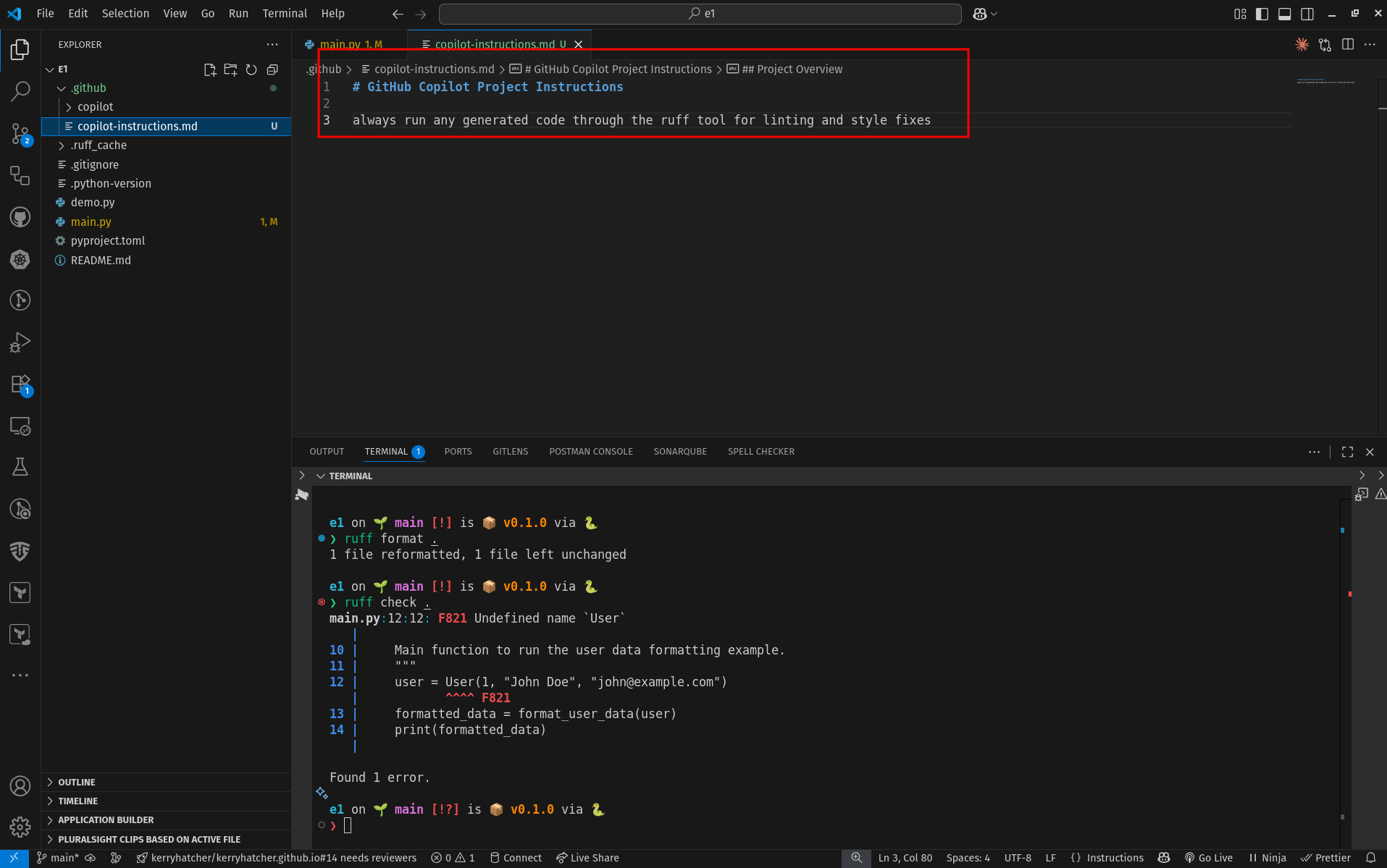
You can make sure Copilot knows to use ruff by using a .copilot-instructions.yml file with:
# GitHub Copilot Project Instructions

always run any generated code through the ruff tool for linting and style fixes.
This gets Copilot to produce cleaner code right out of the gate.
4. Seeing Ruff in Action
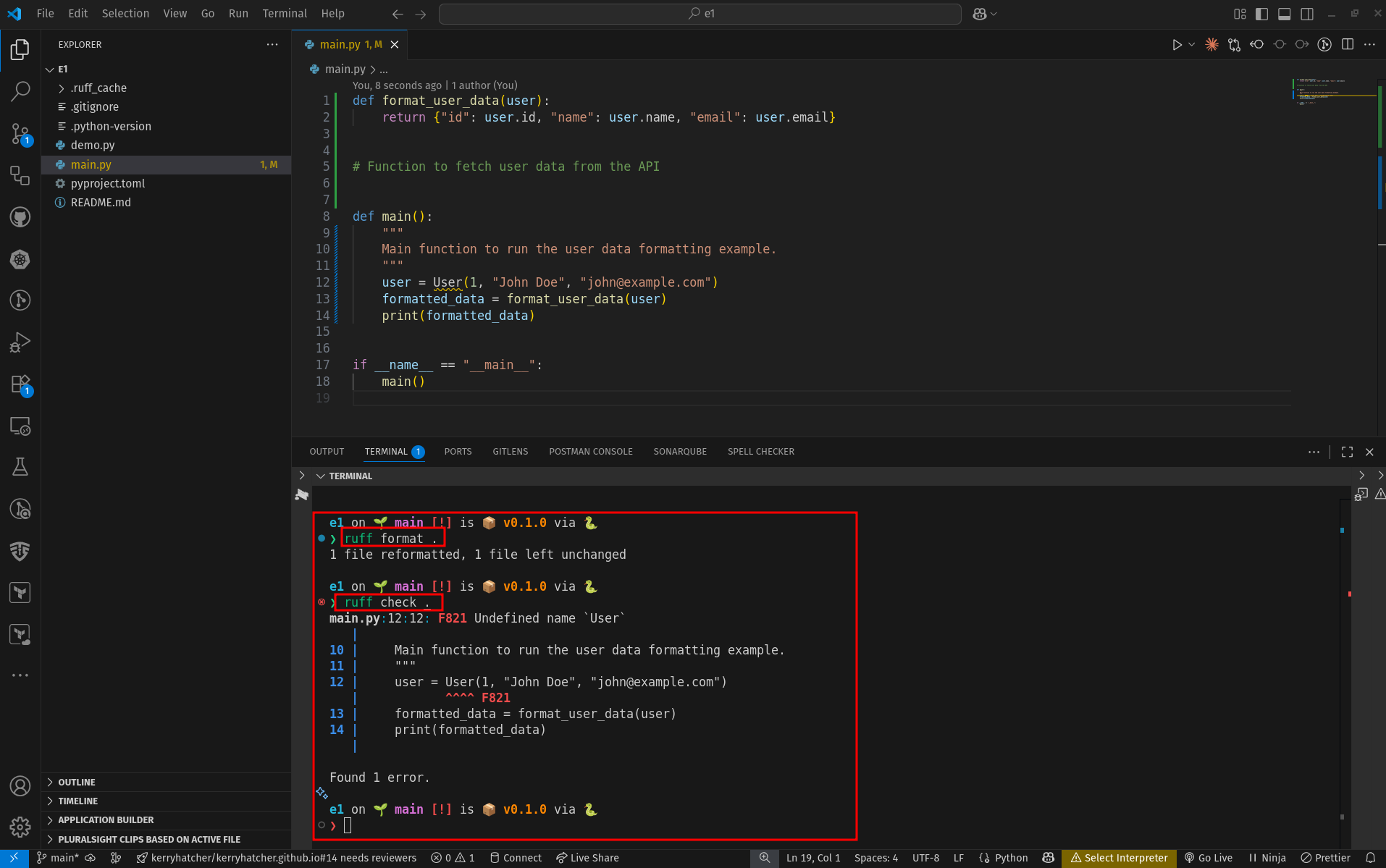
Run the following check and lint your project.
ruff format .

ruff check .
The ruff format . command will automatically fix many minor issues in the format and layout of your code. It won't change what it does, just how it looks to us humans.
When you run ruff check ., you'll get a breakdown of issues, style infractions or potential bugs.
- Review errors manually or prompt Copilot to refine.
- Using Ruff ensures consistency, speed, and reliability.
Ruff is a must no matter if your code is created by humans or AI.
5. Automate with Pre-Commit Hooks
Keep your repository clean automatically by making Ruff a gatekeeper with a pre-commit hook:
Install and activate:
uv add --dev pre-commit
pre-commit install
In .pre-commit-config.yaml:
repos:
  - repo: https://github.com/charliermarsh/ruff-pre-commit
    rev: v0.0.258
    hooks:
      - id: ruff
Now, Ruff runs before commits, code must pass your linting rules to be committed.
6. Know the Limits, Stay in the Loop
AI like Copilot is a helpful assistant, not a replacement for critical thinking.
- It can generate insecure, inefficient, or outdated code.
- Always examine, test, and review what Copilot outputs.
- Future episodes will dive into tools like SonarQube for catching deeper logic and security issues.
7. What’s Next?
In the upcoming Episode 3, you’ll explore securing your workflow further, introducing automated scanning tools alongside Copilot to catch problems early, whether for security, efficiency, or code quality.
Final Thoughts
The future of coding isn’t AI replacing you, it’s AI enhancing you. By using tools like Copilot and Ruff together, you’re building a workflow where your assistant is precise, self-checking, and aligned with your standards.
Share your Copilot + linter setup in the comments! I’d love to hear how you keep your code clean and consistent. Stay curious, stay critical, and happy coding!
-Kerry